

Recording
How recording works, what an export writes and when, and the logo, outro, and stills.
Every harness records. Everything your program draws goes into the session's timeline as it happens, whether you ever export it or not. By default, it stays in memory for h.Timeline() and nothing is written.
An export happens once, in Close, after your test is done. It replays the timeline through a renderer and writes files.
What this means for your tests
Recording doesn't slow a test. A test only pays for copying the bytes your program writes. Drawing frames happens in the export, after the test.
A recording plays back in real time. Frames are shown for as long as they were on the screen. A test that takes 40ms makes a 40ms recording. So to make a demo that can be followed, slow it down with one of these:
| To | Use |
|---|---|
| Show text being typed | reel.Delay, or STEEP_TYPING_DELAY |
| Pause after every action | WithSlow, or STEEP_SLOW |
| Hold on a screen | h.Sleep(d) |
| Pause in playback, without slowing the test | effects.Pause |
| Play everything slower or faster | Profile.Speed, or STEEP_EXPORT_SPEED |
The .cast file is the recording itself. The other formats are drawn from it, so you can record once in CI, and decide later how the result should look: from Go, or with the CLI, as reel export TestMenu_failed.cast -o menu.webp --keys.
The recording profile
WithRecording takes a reel.Profile. It doesn't export by itself: it says what to write when a policy asks for an export.
h := steep.NewHarness(t, newModel(),
	steep.WithRecording(reel.Profile{
		Outputs: reel.MustFiles("{name}_{status}.gif", "{name}_{status}.cast"),
		Render: []render.Option{
			render.WithWindowChrome(true),
			render.WithPadding(10),
		},
		Effects: []reel.Effect{
			steep.Logo(2 * time.Second),
			effects.Keys(time.Second),
			effects.Pause(),
			steep.Outro(2 * time.Second),
		},
	}),
	steep.WithExportOnFailure(),
)
Fields
| Field | Sets | Variable |
|---|---|---|
Outputs | The files to write, with their options | STEEP_EXPORT |
Render | How frames are drawn | STEEP_RENDERER_SCALE, STEEP_RENDERER_FONT_FAMILY |
Effects | Effects, in any order | None |
FPS | The frame timing grid. The default is 20. | STEEP_EXPORT_FPS |
Speed | Playback speed. 2 plays twice as fast. | STEEP_EXPORT_SPEED |
Fit | The largest image size, chosen by scaling the font | None |
Title | The recording's name | None |
Vars | Extra path variables | None |
One profile for a whole test suite
Keep the profile in a helper, so every test records alike:
func recordingOptions() []steep.Option {
	return []steep.Option{
		steep.WithRecording(reel.Profile{
			Render:  []render.Option{render.WithWindowChrome(true)},
			Effects: []reel.Effect{effects.Keys(time.Second), effects.Pause(), steep.Outro(2 * time.Second)},
		}),
		steep.WithExportOnFailure(),
	}
}
A profile holds no state, so it's safe to share between parallel tests. Calling WithRecording more than once merges them with Profile.Merge.
Changing it from the environment
Variables patch the profile, rather than replacing it:
STEEP_EXPORTreplaces the outputs and stills. Anything in it that doesn't parse fails the test.STEEP_EXPORT_FPSandSTEEP_EXPORT_SPEEDreplace those fields.STEEP_RENDERER_*are appended toRender.
Effects have no variable, so they stay as the code sets them.
Redacting secrets
If a program shows something secret, conceal it first. A profile with effects.Redact must leave out .cast, since a .cast holds the raw recording:
steep.WithRecording(reel.Profile{
	Outputs: reel.MustFiles("{name}.gif"),
	Effects: []reel.Effect{effects.Redact(effects.Env("API_TOKEN")), effects.Keys(time.Second)},
})
Trying to write both is an error wrapping reel.ErrRawOutput. See Redact.
When artifacts are written
Nothing is written unless a policy says to. There are two ways to set one, and the environment overrides code unless the harness has WithIgnoreEnv(true).
| Policy | In code | In the environment |
|---|---|---|
| Never (the default) | STEEP_EXPORT_MODE=off | |
| When the test failed | steep.WithExportOnFailure() | STEEP_EXPORT_MODE=failure |
| Always | steep.WithExportAlways() | STEEP_EXPORT_MODE=on |
WithExportAlways doesn't export a skipped test.
The cases
The export runs once, in Close, which runs as a test cleanup.
| What happened | Exported? |
|---|---|
The test passed, with WithExportOnFailure | No |
The test passed, with WithExportAlways | Yes, with {status} as passed |
An Assert or a t.Error failed | Yes, with {status} as failed |
A Require, a Wait, or t.Fatal stopped the test | Yes |
| The test panicked | Yes. The result lists test panicked. |
The test was skipped, with WithExportAlways | No |
The test was killed by go test -timeout | No |
| A panic on another goroutine killed the test binary | No |
The last two end the process before cleanups run. To keep a recording of a test that hangs, make sure the harness's timeout is much shorter than the one for go test. Then a wait fails, rather than the process being killed.
Where files go
Paths in a profile are relative to the artifacts directory, chosen in this order:
STEEP_EXPORT_DIR, unless the harness hasWithIgnoreEnv(true)WithArtifacts(dir)t.ArtifactDir(), whichgo testremoves unless you pass-artifacts
An absolute output path ignores all of these. A relative directory is relative to the test's package directory, so ./... writes one per package. Use an absolute path to collect everything in one place, as in CI.
So the same export gets kept or removed depending on the flags:
# Written, and kept in go test's artifact directory.
STEEP_EXPORT_MODE=failure go test -artifacts ./...

# Written, then removed when the test ends. The test logs that it happened.
STEEP_EXPORT_MODE=failure go test ./...

# Written to testdata/out in each package, and kept.
STEEP_EXPORT_MODE=failure STEEP_EXPORT_DIR=testdata/out go test ./...
The second case logs this, so it's not silent:
=== RUN   TestExportRemoved
    harness.go:233: steep: export: /tmp/go-test is removed when the test ends; pass -artifacts to go test, or set STEEP_EXPORT_DIR or WithArtifacts
    harness.go:233: steep: export: wrote /tmp/go-test/TestExportRemoved.snap
--- PASS: TestExportRemoved
PASS
ok  	getsteep.dev/steep/_examples/docs-demos
File names
Without outputs, a profile writes {name}_{status}.gif and {name}_{status}.cast. Output paths take these variables:
| Variable | Is |
|---|---|
{name} | The test's name, with everything but letters and digits replaced by _ |
{status} | passed or failed |
{mark} | The mark's label, for stills. input:1 is written as input-1, since : isn't allowed in file names on Windows. |
{duration} | The recording's length, rounded to 100ms, such as 4.2s |
{timestamp} | Its start in UTC, as 20060102T150405 |
Add your own with Profile.Vars. An unknown name is an error. Two tests with the same {name}, or two outputs with the same path, would collide, so include {name} if several tests share a directory.
Each export logs the paths it wrote. Files are written to a temporary name and moved into place when complete, so a failed export leaves an existing file as it was.
Logo and Outro
steep adds two effects to reel's. Logo opens a recording with steep's logo and the test's name. Outro ends it with the result.
steep.WithRecording(reel.Profile{
	Effects: []reel.Effect{
		steep.Logo(2 * time.Second),
		effects.Keys(time.Second),
		effects.Pause(),
		steep.Outro(2 * time.Second),
	},
})
Logo
Logo(d) shows the animated logo for d before the first frame, with steam rising while the recording's title, the test's name, fades in. A terminal too small for the logo gets a plain steep card, and a d of zero or less shows nothing.
Outro
Outro(d) shows a card for d after the last frame: PASS or FAIL, the test's name, and the first line of as many failures as fit. Pass your own lines to show those instead:
steep.Outro(2*time.Second, effects.Line{Text: "That's the shop"})For a failed test, the last frame before the card plays for at least 3s, so the failing screen can be read.
Failures reported through your own t.Error aren't on the card. It lists what the harness reported, from steep.Result. The test still counts as failed, so it still says FAIL.
Order
Effects sort themselves, and cards run last. So an effects.Pause pauses on the screen the test failed on, with a badge, before the card shows.
Profile.Speed doesn't scale these. A Speed of 2 plays the recording twice as fast and leaves the cards as long.
Stills
A still is one moment of a recording. They're good for documentation, and for reviewing what a test saw at each step without watching a video.
h := steep.NewHarness(t, newModel(),
	steep.WithStills(steep.StillPNG, steep.HookInput),
	steep.WithExportAlways(),
)
h.Wait("Sencha").
	KeyDown().
	KeyDown().
	Key("enter").
	Wait("Gyokuro is ready")
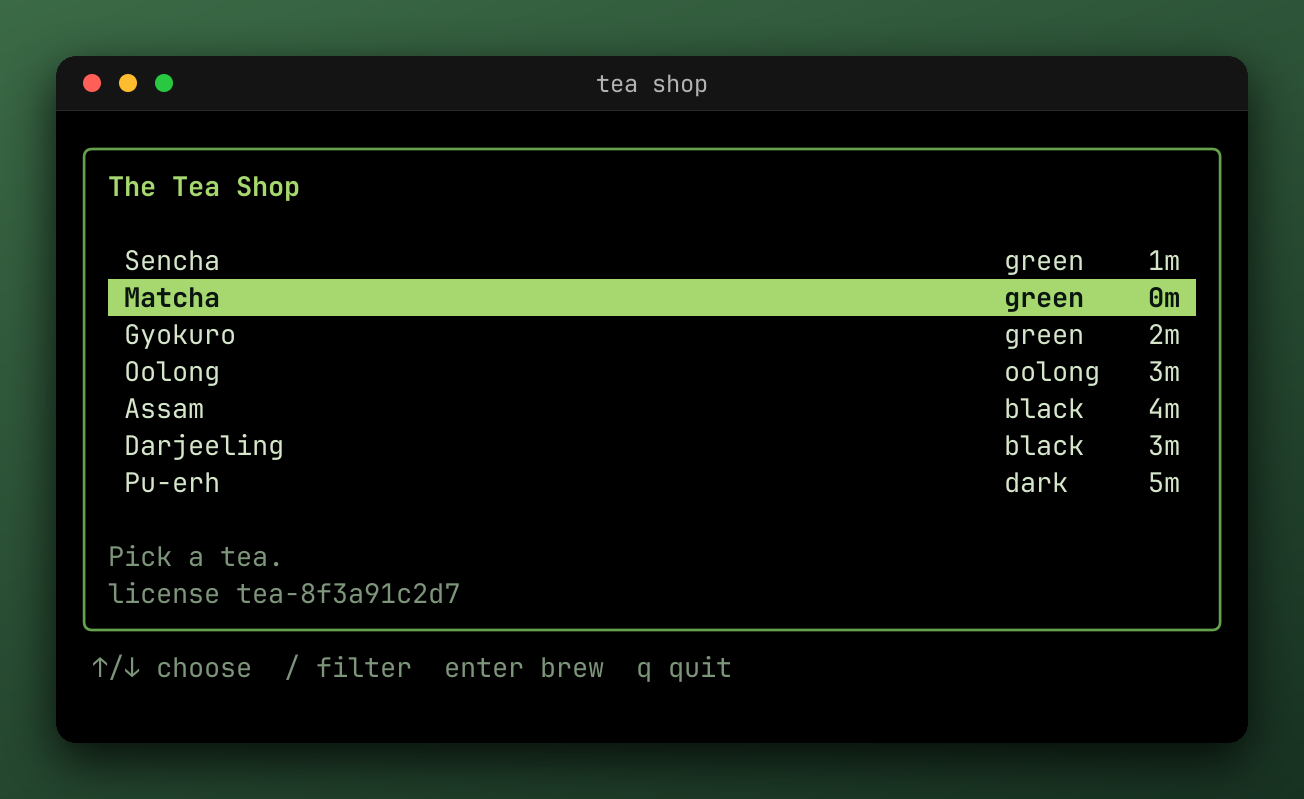
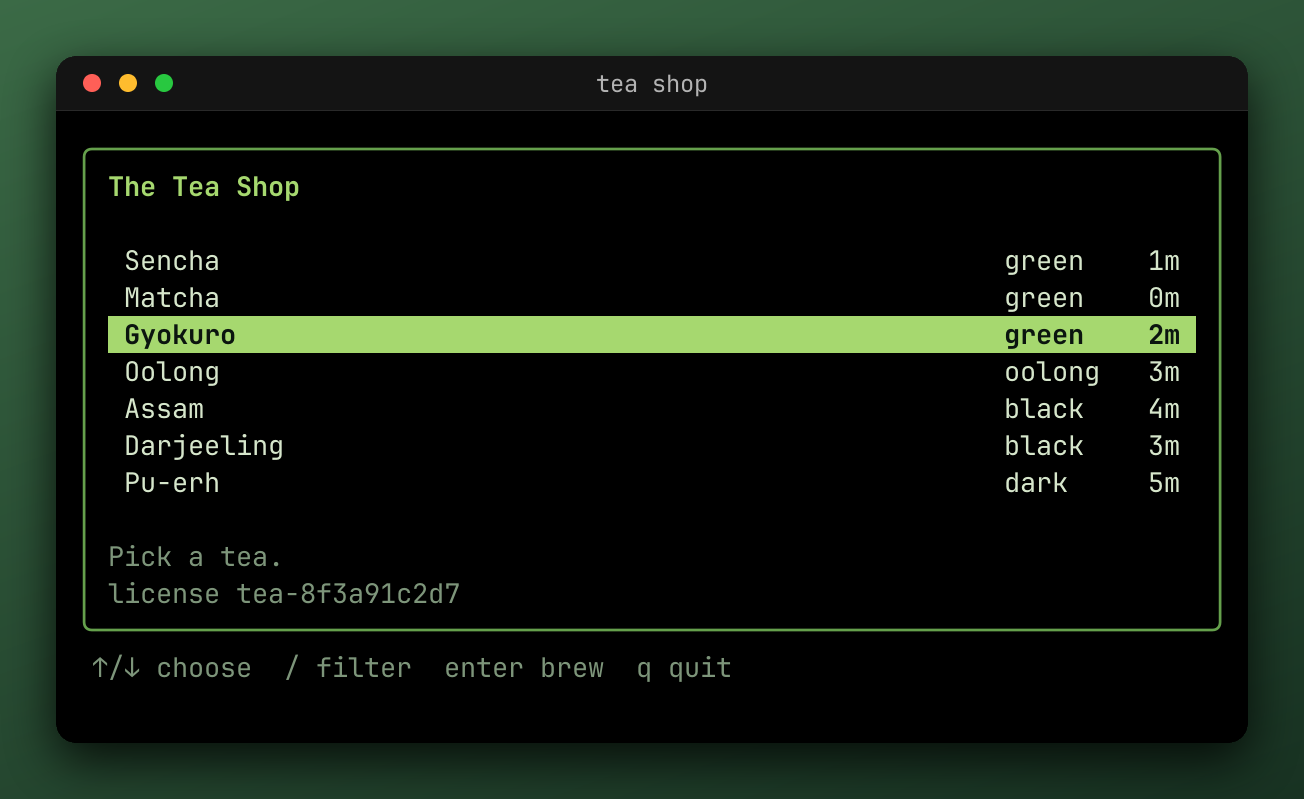
That writes one file per input, from the mark of each:
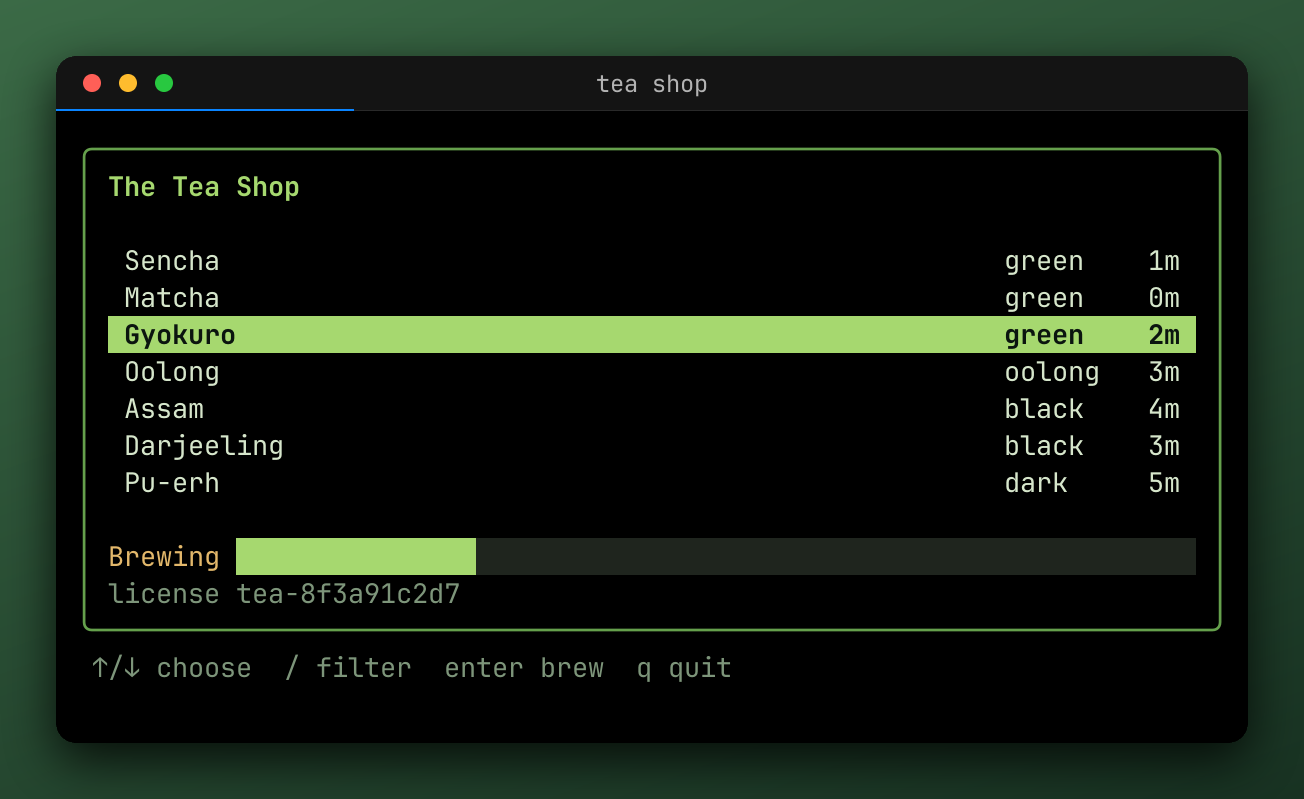
WithStills
WithStills(kinds, events...) takes the kinds to write, combined with |, and the events to write them at. Without events, it uses input, terminal, program, wait, ready, and close.
| Kind | Writes |
|---|---|
steep.StillPNG | {name}_{status}_{mark}.png, drawn with the profile's Render options and its still effects |
steep.StillSnapshot | {name}_{status}_{mark}.snap, the screen's text, as h.View() showed it |
Calls accumulate. Stills are only written when the recording is exported, so they need an export policy too.
For a single PNG of the last frame, add a .png output to the profile instead.
From the environment
An output in STEEP_EXPORT whose path holds {mark} is a still:
# A PNG at every mark of the default events.
STEEP_EXPORT_MODE=on STEEP_EXPORT='{name}_{mark}.png' go test -artifacts ./...

# The screen's text after each input.
STEEP_EXPORT_MODE=on STEEP_EXPORT='{name}_{mark}.snap?match=input:*' go test -artifacts ./...

# Only the failures.
STEEP_EXPORT_MODE=failure STEEP_EXPORT='{name}_{mark}.png?match=failure:*' go test -artifacts ./...
match= takes a path.Match pattern and marks= an exact label. Both repeat. A pattern that matches no mark isn't an error, and a marks= label that's missing is reported at the end.
Which effects run
Stills skip most effects, because an overlay or a card doesn't belong in one. Only concealers, such as redaction, and effects that say they apply to stills run on them. A .snap still skips effects altogether, so it shows what a redaction hides.
Last updated on